Code 39 Barcode Generator
Create Code 39 barcodes for asset tags, inventory labels, ID badges and warehouse locations. Type the data, adjust bar width, height and ratio, add an optional check character, then download a crisp SVG or PNG — or generate a whole sheet of labels at once.
- Free to use
- No sign-up
- Runs in your browser
Generate a Code 39 barcode
Bulk labels
Barcode Label Toolkit
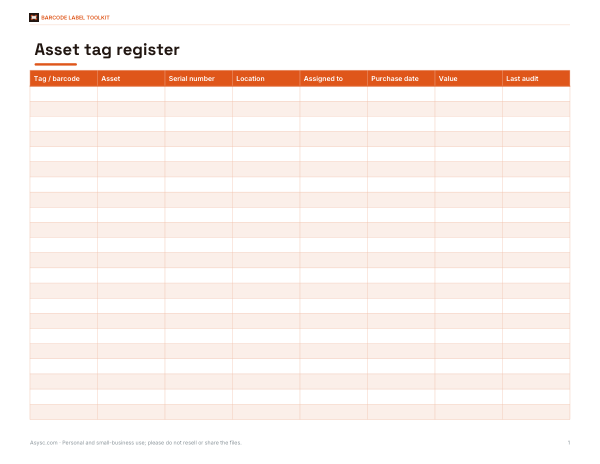
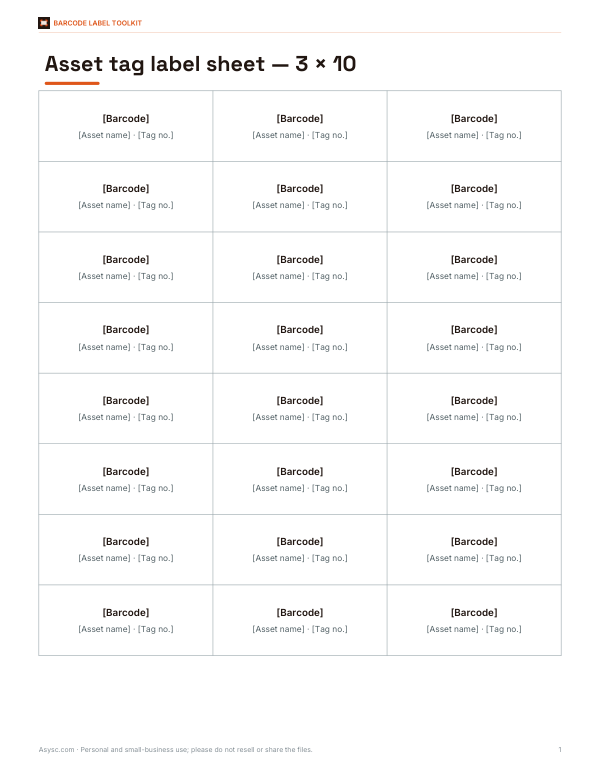
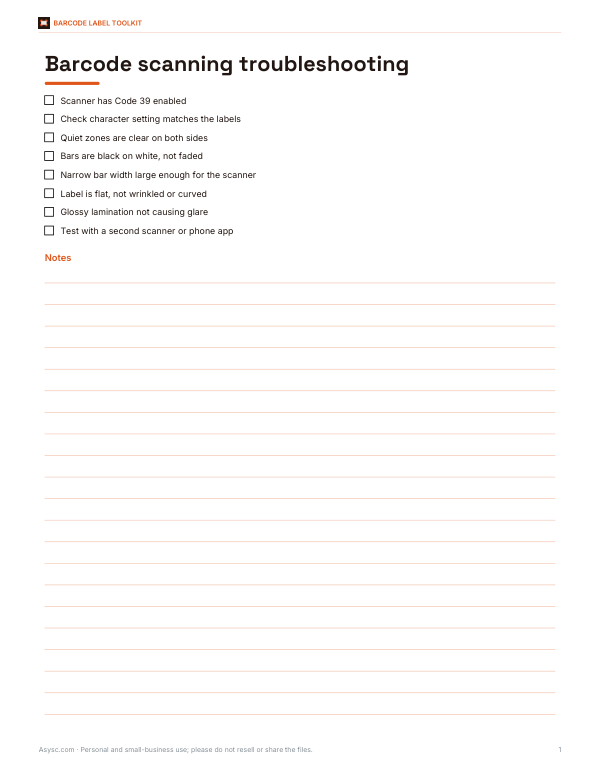
Printable Code 39 asset tag and bin label sheet templates, a barcode inventory workbook and a scanning troubleshooting guide.
- Asset tag register (XLSX, PDF)
- Label sheet layouts (DOCX, PDF)
- Scanning troubleshooting guide (PDF, DOCX)
Formats: XLSX, PDF, DOCX. Instant download after payment (link valid 72 hours, up to 5 downloads). AI-assisted: the templates were drafted with AI help and reviewed and laid out before publishing.
$4.00 USD, one-time 3 files · about $1.33 each
- Instant download
- 7-day refund
- Secure checkout by Stripe
7-day money-back guarantee. Full refund within 7 days of purchase, even after you download.
Full refund within 7 days — see the refund policy and license.
Free printables
Single sheets you can print right now, no sign-up. The full pack adds every sheet in one download plus the editable files.
What Code 39 is
Code 39, also called Code 3 of 9 or USS Code 39, is one of the oldest and most widely supported linear barcode symbologies. Each character is made of nine elements — five bars and four spaces — of which three are wide and six are narrow, which gives the name. It can encode the digits 0–9, the uppercase letters A–Z, space and the symbols - . $ / + %. Every Code 39 barcode starts and ends with an asterisk, the start/stop character, which is not part of the data. Because it needs no complex check digit and almost every scanner reads it, Code 39 remains popular for asset tags, ID badges, warehouse locations, library and lab labels, and many automotive and defence applications.
How to use the generator
- Type the data. Lowercase letters are converted to uppercase automatically, because standard Code 39 has only uppercase.
- Choose whether to add a mod-43 check character for extra reliability.
- Pick the narrow bar width and the wide-to-narrow ratio. Larger widths and a 3:1 ratio scan most reliably.
- Set the bar height and whether to print the human-readable text underneath.
- Download as SVG (vector, ideal for print and label software) or PNG (for documents and spreadsheets).
- For many labels, paste values in the bulk box and print a sheet.
The mod-43 check character
Code 39 has no mandatory check digit because its structure is already self-checking: each character pattern is distinct enough that most misreads are rejected. For extra security, an optional mod-43 check character can be added. Each character has a value — 0–9 are 0–9, A–Z are 10–35, “-” is 36, “.” is 37, space is 38, “$” 39, “/” 40, “+” 41 and “%” 42. Add the values of all data characters, divide by 43, and the remainder's character is the check character. Only add it if the system reading the barcode expects it; otherwise the check character will be treated as part of the data.
Sizing for reliable scanning
- Narrow bar width (X-dimension): wider bars are easier to scan, especially with older or handheld scanners; very small bars need high print quality.
- Wide-to-narrow ratio: between 2:1 and 3:1 is standard; 3:1 is the most tolerant.
- Quiet zones: leave clear white space before and after the barcode — at least ten times the narrow bar width. The generator adds this automatically.
- Height: taller bars are easier to scan by hand; a common guideline is at least 15% of the barcode length or about a quarter of an inch.
- Length: Code 39 is not compact; long data strings produce wide barcodes, so keep values short or use a denser symbology such as Code 128 for long data.
Code 39 versus other barcodes
| Symbology | Characters | Density | Typical use |
|---|---|---|---|
| Code 39 | A–Z, 0–9, 7 symbols | Low (wide) | Asset tags, IDs, internal labels |
| Code 128 | All ASCII | High | Shipping, logistics, GS1-128 |
| UPC-A / EAN-13 | Digits only | Fixed length | Retail products (requires GS1 prefix) |
| QR code | Any text, URLs | 2D, very high | Links, tickets, mobile scanning |
Retail products sold in stores need UPC or EAN barcodes issued through GS1; Code 39 is not used for retail point-of-sale. For internal inventory, equipment and documents, Code 39 is simple and dependable.
Worked example
For the asset tag ASSET-00421, the barcode encodes *ASSET-00421* with the asterisks as start and stop characters. With the mod-43 option, the character values are A=10, S=28, S=28, E=14, T=29, -=36, 0=0, 0=0, 4=4, 2=2, 1=1, totalling 152; 152 divided by 43 leaves a remainder of 23, which is the letter N, so the full encoded string is *ASSET-00421N*. At a 2-pixel narrow bar and 3:1 ratio the barcode is about 390 pixels wide — about 1.3 inches at 300 dpi.
Printing tips
- Print SVG files at 100% scale; vector barcodes stay sharp at any size.
- Use black bars on a white or light background; avoid red bars, which many scanners cannot see.
- Laser and thermal transfer printers give crisper edges than inkjet on labels.
- Test-scan the first label with the actual scanner and software you will use.
- Protect labels in harsh environments with laminate or durable polyester label stock.
Full ASCII Code 39
Standard Code 39 cannot encode lowercase letters or most punctuation. An extension called Full ASCII Code 39 represents those characters with two-character pairs — for example “+A” for lowercase “a” — but the scanner must be configured to interpret them. Because few systems enable it by default, this generator produces standard Code 39 and converts lowercase to uppercase. If you need lowercase or special characters, Code 128 is usually the better choice.
Frequently asked questions
Can Code 39 encode lowercase letters?
Standard Code 39 cannot. Lowercase is converted to uppercase here; Full ASCII Code 39 or Code 128 can encode lowercase.
Do I need the asterisks?
Yes, they are the start and stop characters. The generator adds them automatically.
Should I add a check character?
Only if the system reading the barcode expects a mod-43 check character.
Can I use Code 39 on retail products?
No. Retail point-of-sale uses UPC or EAN barcodes issued through GS1.
Is SVG or PNG better?
SVG for printing and label software; PNG for placing in documents and spreadsheets.
Are the barcodes free to use?
Yes. Code 39 is an open symbology and the images you generate are yours.